A whole station, from the music folder to the stream.
Heron is five small services and a database, run with Docker Compose. Here is what each part of the station does today.
A library that listens
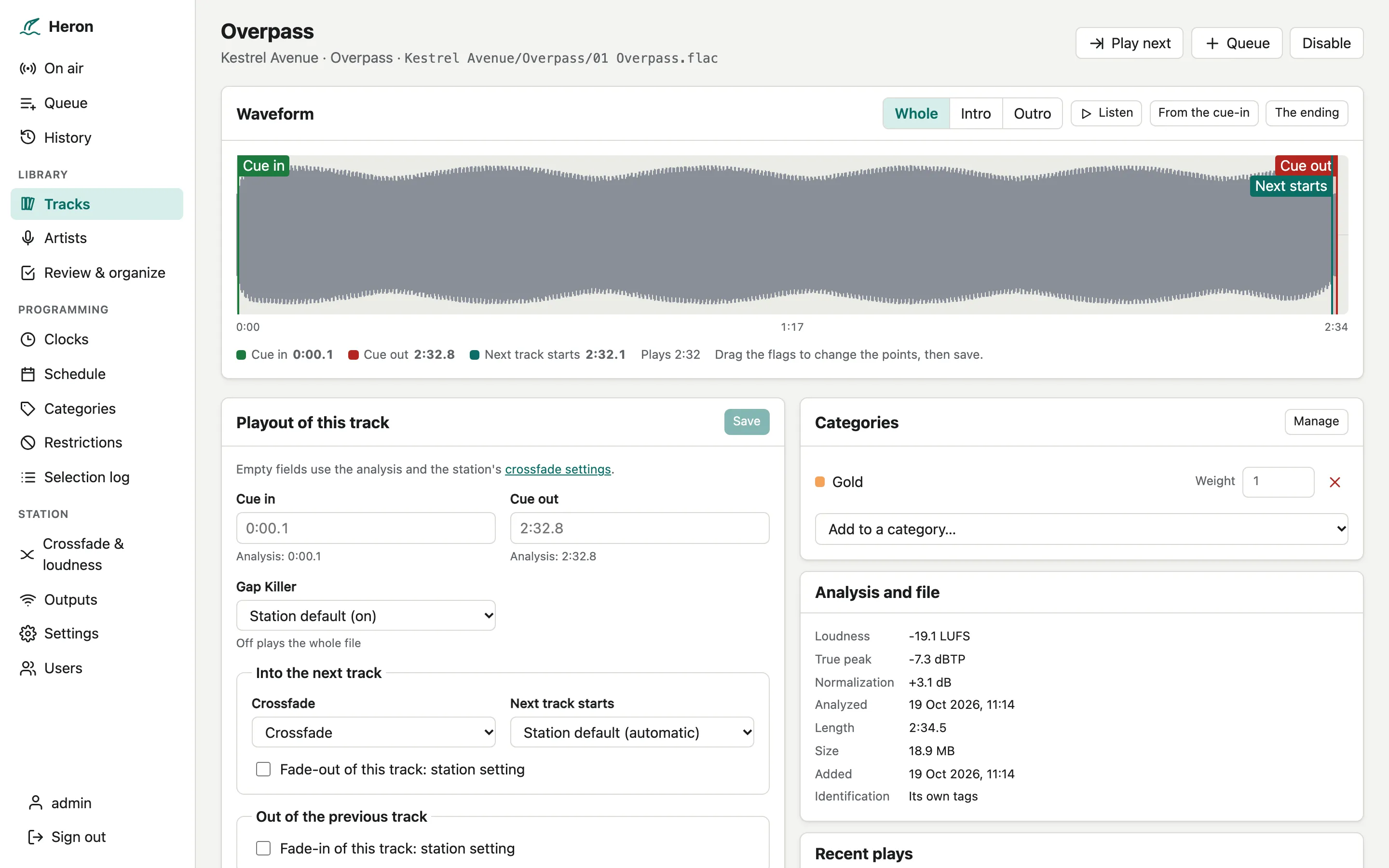
Point Heron at your music folder. It picks up new and changed files on its own and analyzes every track before it goes to air.
- Loudness (EBU R128), true peak, silences at both ends, and where the next track can start
- Tempo, and a waveform drawn with the cue points
- MP3, AAC and ALAC in M4A, FLAC, Ogg Vorbis, WAV and AIFF
- Network shares supported: moves and renames keep a track’s history
New music, filed for you
Upload from the browser, folders included, or drop files into the incoming folder. They wait in a buffer zone until you import them.
- Identified with AcoustID and MusicBrainz, cover art included
- Duplicates, unreadable and too-short files flagged before import
- Fix tags and set categories, labels, mood and sound code before import
- Filed as Artist/Album/01 Title, never overwriting a file; every change can be undone
- Deleted tracks wait 30 days in a trash
Two decks, no dead air
The engine is a real-time Rust process that needs no sound card. It keeps time to the sample over days of streaming.
- Crossfades at the analyzed point, or fixed overlaps; fade curves to choose from
- Gap Killer removes silences; short jingles play back to back
- Loudness normalization to a target, without pushing peaks over the ceiling
- Upcoming tracks are read into memory, so a slow network share cannot stop the air
- A fallback folder plays when the queue runs dry, and a silence watchdog skips silent tracks
Jingles over the music
The FX player plays sweepers, liners and station IDs on top of the decks, without changing what is on air.
Clockwheels that explain themselves
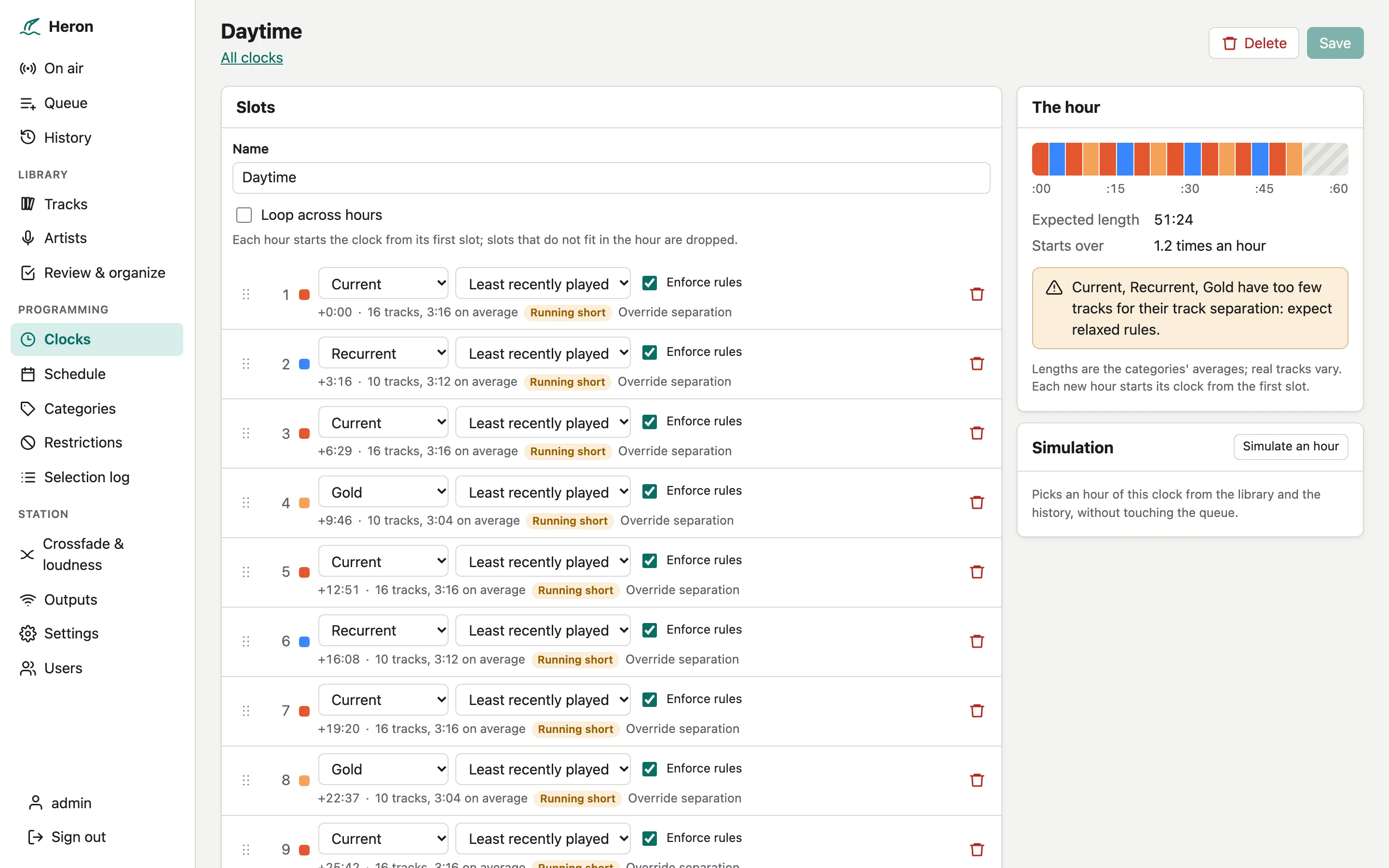
Build clocks from category slots, paint them onto the week, and let rotation pick the music. Every pick says why.
- Clocks of slots, each calling a category by least recently played, random or weighted
- Separation rules for title, artist, album and track, relaxed step by step when the library runs short
- Artists with several names and similar artists handled as one
- Dayparting, date ranges and sequence restrictions, never relaxed
- A selection log for every pick, and a simulation of the next day or week
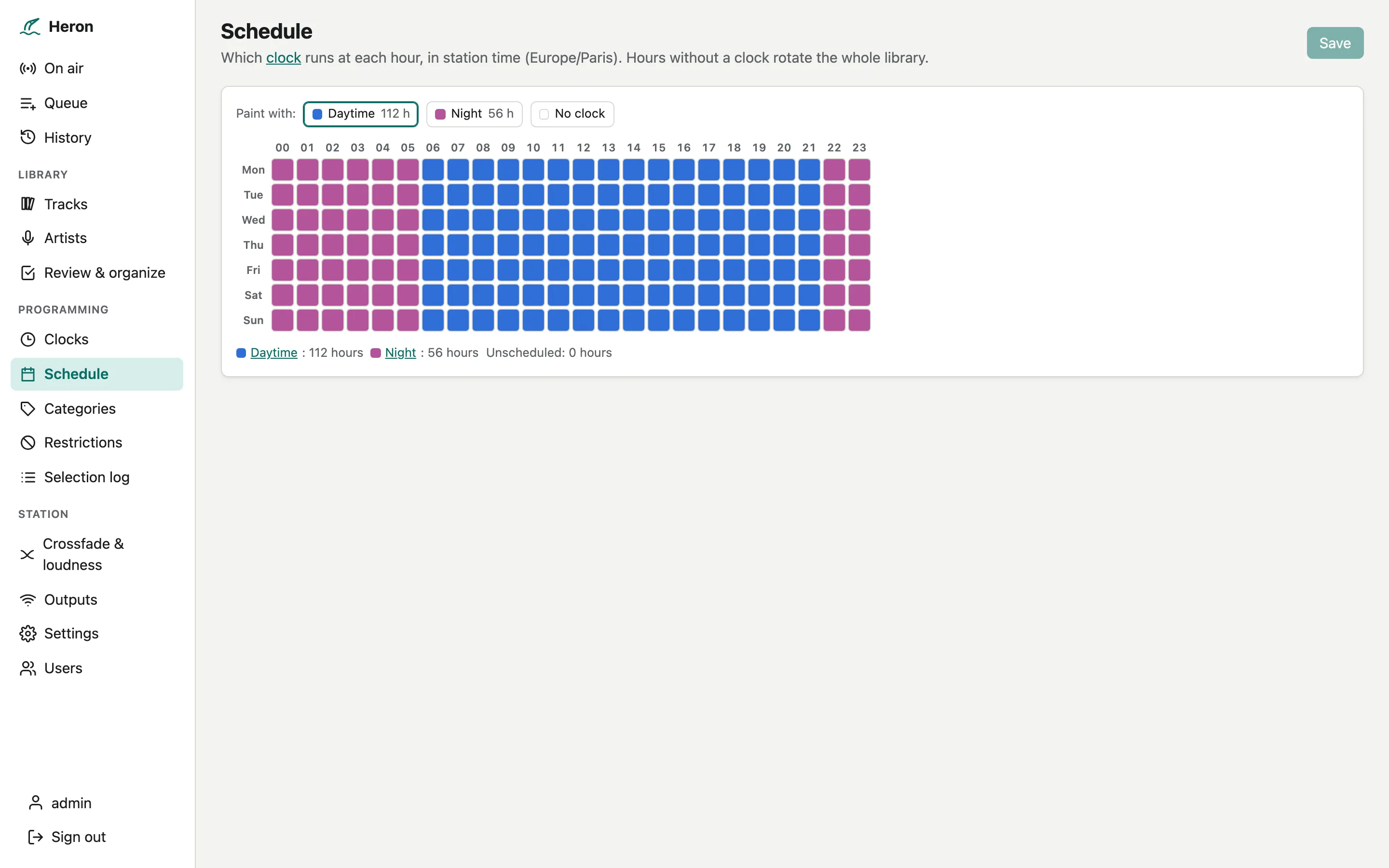
Paint the week
Pick a clock and drag over the hours of the week. Times follow your station’s time zone, daylight saving included.
A console in your browser
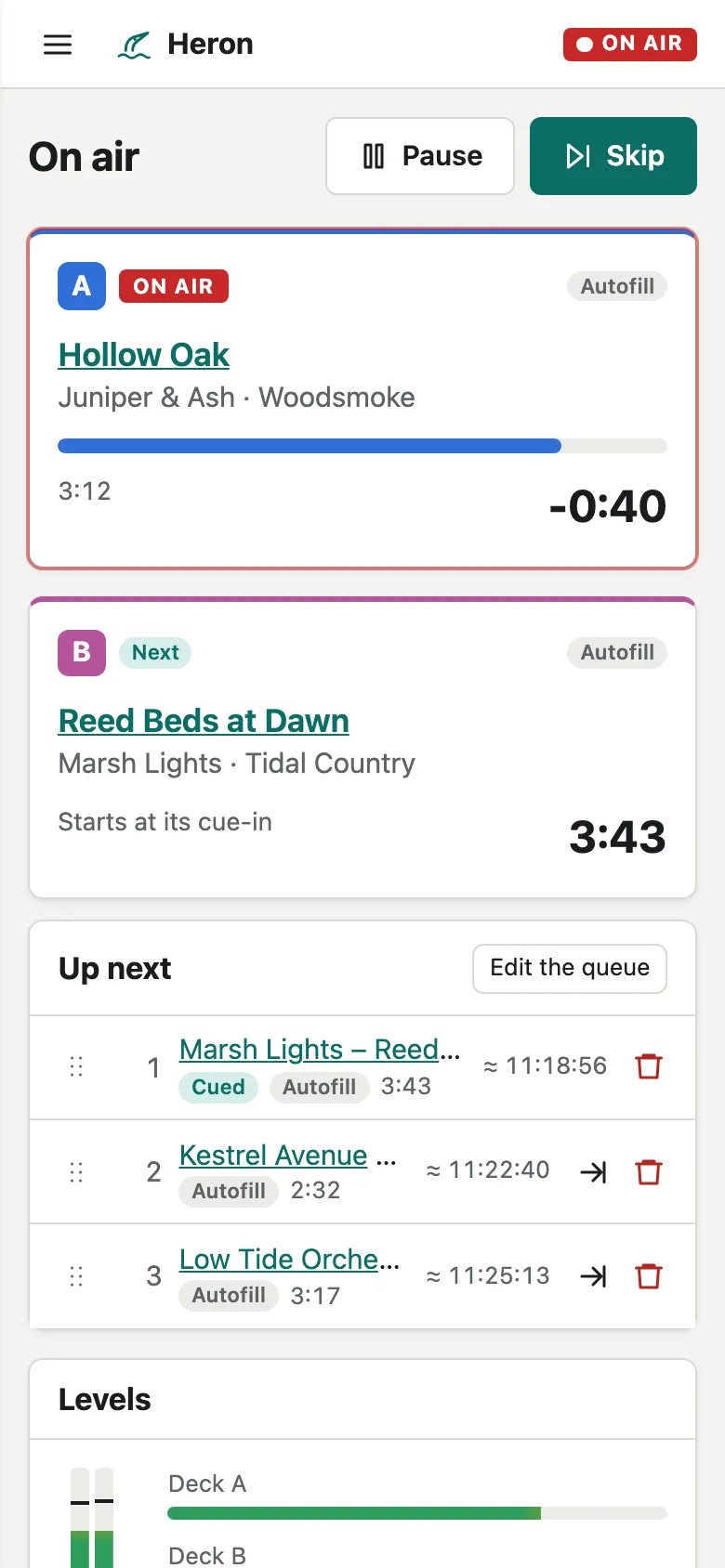
Everything is run from the web interface: on air, queue, history, tracks, clocks, schedule, outputs and settings.
- Live updates over a WebSocket: decks, levels, queue and outputs
- Light and dark themes, English and French, from phone width up
- Viewer, operator and admin roles
Scriptable end to end
Everything the interface does goes through a documented HTTP and WebSocket API, so your scripts can do it too.
- OpenAPI document generated from the code
- API tokens for scripts, with the role of their user
- Prometheus metrics and health checks on every service; errors to Sentry
Runs where you do
Linux on amd64 and arm64, down to a Raspberry Pi. Images are published once the whole stack passes its tests on both.
▶ Get started